Multi-Channel Support Explained for Customer Support Teams
Your customers message you on WhatsApp, Instagram, Messenger and your website. They expect one fast answer, not four disconnected threads. Support teams that miss messages on any one channel lose the sale or the customer for good. A side-by-side of the leading tools is at com.bot.
This article breaks down what multi-channel support actually requires from a support team, how channels differ in intent and region, and how to unify conversations without burying agents. You will also learn which metrics to track, what to evaluate in a platform, and the pitfalls teams hit during rollout.
What Multi-Channel Support Really Means for Support Teams
Multi-channel support is often misunderstood as simply offering more ways for customers to reach you, but for support teams it fundamentally changes how work is queued, assigned, and resolved. Adding a channel is easy. Absorbing the operational consequences of that channel is the hard part.
A single-channel team works from one predictable queue. Every request arrives in the same format, lands in the same help desk view, and follows the same path to resolution. A multi-channel team faces a different reality: tickets arrive from email, live chat, phone, SMS, messaging apps, and social media, each with its own urgency, tone, and response expectations.
Consider a concrete example. A customer starts a conversation on WhatsApp about a delayed order. They get no immediate reply, so they follow up the next morning by email. When an agent opens that email, the customer expects the full history to be visible: what was said on WhatsApp, when, and by whom. If the agent sees only a blank email thread, the customer has to repeat themselves, and the experience feels broken.
That expectation drives three operational shifts:
- Ticket creation from multiple sources. Each channel generates tickets in a different format, and the ticketing system must normalize them into one consistent record.
- Broader agent skills. Agents need writing skills for chat and email, conversational pacing for messaging apps, and sometimes voice training for phone support. A strong email writer is not automatically a strong live chat agent.
- A unified view of the customer. Without shared context across channels, agents lose time asking questions the customer has already answered.
The biggest structural change is the move from channel-specific queues to blended queues. Instead of a chat team and an email team working separately, blended queues let agents pull from a shared pool based on priority, SLA, and workload. This reduces idle time and improves first response time, but only when routing rules and prioritization are designed carefully.
Channels vs. Multichannel vs. Omnichannel: Key Differences
The distinction between channels, multichannel, and omnichannel is not just semantic. It determines whether your support feels fragmented or seamless to customers.
Channels are the individual contact points themselves: phone, email, live chat, SMS, social media, or a self-service portal. A bank that offers phone support and email support has two channels, but they may operate as entirely separate worlds with no shared customer record.
Multichannel means offering several channels at once, often without deep integration between them. A retailer that adds live chat and social media support to its existing phone line is multichannel. Customers get more options, but an agent handling a Twitter complaint may have no visibility into the customer's earlier email.
Omnichannel goes further. A SaaS company with a unified customer profile across all touchpoints lets an agent see every prior interaction, regardless of where it happened. The customer can start in chat, continue by email, and finish on a call without losing context. This requires a unified inbox and shared customer context, typically supported by a CRM and a help desk that sync data in both directions.
| Channels | Multichannel | Omnichannel | |
|---|---|---|---|
| Scope | Individual contact points offered to customers | Several channels run in parallel | All channels connected through shared data |
| Customer experience | Customers pick one channel per issue | More options, but conversations can feel disconnected | Continuous conversation across any channel |
| Data flow | Isolated per channel, often manual | Partial or one-way syncing between tools | Two-way syncing into a unified customer profile |
| Typical technology | Phone system, shared email inbox | Separate chat, social, and email tools | Help desk with unified inbox plus CRM integration |
| Example | A bank offering phone and email support | A retailer adding live chat and social media without integration | A SaaS company with one customer profile across every touchpoint |
The practical takeaway: multichannel expands reach, while omnichannel expands context. Teams that stop at multichannel often see rising customer effort scores because customers still have to repeat themselves. Teams that reach omnichannel see the opposite, though it takes real investment in channel integration and data hygiene.
Why Customers Expect Support on WhatsApp, Messenger, Instagram and Web
Customers no longer tolerate being forced into a single support channel. They expect to reach you where they already spend their time, whether that's WhatsApp, Messenger, Instagram, or your website.
The scale of these platforms explains why. WhatsApp has over 2 billion users worldwide, Facebook Messenger serves roughly 1.3 billion, and Instagram counts about 2 billion users. For many customers, especially younger demographics, a messaging app is not a novelty contact option. It is the default way they communicate.
The appeal comes down to speed and convenience. Messaging feels informal, asynchronous, and low-effort compared to waiting on hold for phone support. Customers can send a photo of a damaged item, share an order number, or ask a quick question without leaving the app they already have open.
Different industries feel this pressure in different ways:
- E-commerce: order updates, delivery questions, and returns handled through WhatsApp or Messenger, often with chatbot triage before a human joins.
- Travel: booking changes and flight queries sent as direct messages, where response time directly affects whether the customer rebooks or cancels.
- Financial services: secure messaging for account questions, where identity verification and data protection shape what agents can say in each channel.
Web widgets cover a different need. A live chat or chatbot on your site offers immediate help without the customer leaving the page, which is especially valuable during checkout or account setup. Together, these channels form the modern baseline of customer support, and a help desk that treats them as one connected experience rather than isolated inboxes is what keeps response times and satisfaction scores steady as volume grows.
Core Channels in a Multi-Channel Support Stack
A well-designed multi-channel support stack includes a mix of asynchronous and real-time channels, each suited to different customer needs and urgency levels. Asynchronous channels such as email and SMS let customers write in on their own schedule, while real-time options like live chat and phone support demand immediate attention from an agent.
Most stacks fall into five broad categories:
- Messaging apps such as WhatsApp, Facebook Messenger, and Instagram DM, where conversations feel personal and continuous
- Live chat and web widgets embedded directly on a website or inside a product
- Email, the traditional workhorse for detailed, documented conversations
- Phone and VoIP, still the fastest route for urgent or emotionally charged issues
- SMS, social media, and video or screen sharing, which cover quick updates, public conversations, and complex troubleshooting
Not every channel is right for every business. A local repair shop may only need phone and SMS, while a global e-commerce brand might run six channels at once. The right mix depends on customer preferences and support goals, not on chasing every new tool that appears.
Adding channels also raises the cost of coordination. Each one introduces new queues, new response-time expectations, and new ways for context to get lost. That is why channel integration through a shared help desk or unified inbox matters as much as the channels themselves. A ticketing system that pulls every conversation into one view reduces context switching and keeps agent workload manageable.
The next sections compare specific channels in detail and show how to match them to customer intent and region.
WhatsApp Business, Facebook Messenger, Instagram DM and Web Widget Compared
WhatsApp, Messenger, Instagram DM, and web widgets each have distinct strengths, limitations, and ideal use cases that support teams must understand before adopting them. The table below summarizes how they differ on the dimensions that matter most to a support operation.
| Channel | Best For | Key Features | Limitations | Typical Response Time |
|---|---|---|---|---|
| WhatsApp Business | High-volume service and commerce in markets where it is the default messaging app | Rich media, quick replies, templates, verified business profile | Requires customer opt-in, 24-hour session window for free-form replies | Minutes to a few hours |
| Facebook Messenger | Brands with an active Facebook community and social-first audiences | Chatbots, automated flows, rich attachments, comment-to-DM tools | Tied to the Facebook ecosystem, policy changes affect reach | Minutes to a few hours |
| Instagram DM | Visual commerce, product questions, younger audiences | Story replies, product tags, quick reactions | Limited automation and routing compared with dedicated help desk channels | Hours |
| Web widget | Immediate help while the customer is already on the site or in the app | Live chat, chatbot triage, knowledge base suggestions, proactive triggers | Only works when the customer is on the page, no reach after they leave | Seconds to minutes |
Consider how each plays out in practice. A travel company handling bookings over WhatsApp benefits from rich media and fast back-and-forth. A gaming brand using Messenger leans on chatbots for instant answers to common questions. A fashion retailer answering fit and styling questions in Instagram DM turns conversations into sales. A software company using a web widget catches users at the exact moment they hit a snag, often before they open a ticket.
Response-time expectations shift by channel as well. Customers on live chat and messaging apps expect near-instant replies, while email and Instagram DM tolerate longer waits. Teams should set first response time targets per channel rather than applying one blanket SLA across the stack.
Matching Channels to Customer Intent and Region
Channel preference varies dramatically by region and customer intent, so a one-size-fits-all approach leads to missed expectations and wasted resources. A channel that feels instant and natural in one market can feel intrusive or outdated in another.
Region shapes the baseline. In Latin America and India, WhatsApp dominates for both service and commerce, and many customers treat it as their primary contact method. In North America, SMS and live chat see heavier use, with phone support still strong for urgent matters. In Europe, email and live chat prevail, partly due to data-protection expectations around messaging platforms. In Southeast Asia, Messenger and WhatsApp are key channels alongside local apps.
Intent shapes the routing decision even more. Matching the request to the right channel keeps queues moving and improves customer satisfaction:
- Urgent issues such as outages or failed payments: phone or live chat, where a human can respond in real time
- Order status and simple updates: WhatsApp or SMS, which customers check frequently and can reply to at leisure
- Complex troubleshooting: video support or screen sharing, so agents can see exactly what the customer sees
- Pre-sales questions: web widget or social media support, meeting buyers where they are already browsing
The practical step is to let customer data drive prioritization. A CRM that records past channel usage, region, and issue type helps route each conversation to the right queue. Track customer effort score, CSAT, and resolution time by channel to see which ones are pulling their weight and which are creating drag. Channels that consistently underperform, whether on satisfaction or cost per contact, are candidates for consolidation. A self-service portal and knowledge base can also deflect simple requests before they ever reach an agent, freeing capacity for the conversations that truly need a human.
How to Unify Conversations Without Overwhelming Your Agents
Unifying conversations across channels is essential to prevent agents from drowning in a sea of tabs and apps, but it requires thoughtful design of inboxes, routing, and automation. A unified inbox aggregates messages from email, live chat, phone, SMS, social media, and messaging apps into one shared view. Instead of checking five different tools, an agent works from a single queue.
The risks of skipping unification are real and measurable in daily operations. Context switching between apps drains focus, causes missed messages, and slows first response time. A customer who emails, then follows up on chat, may get two conflicting answers from two different agents.
Unification alone is not enough. Volume still needs structure, which is why teams pair a unified inbox with routing rules, clear ownership, and automation for repetitive work.
- Routing rules decide which agent or team sees each conversation.
- Ownership ensures one person is accountable for a reply.
- Automation handles FAQs, tagging, and initial triage at scale.
The following sections cover shared inboxes, routing logic, and how to balance automation with human handoff so customers never feel passed around.
Shared Inboxes, Routing Rules and Ownership
A shared inbox with intelligent routing rules ensures that every conversation reaches the right agent at the right time, without manual triage. All channels feed into one queue, and filters let supervisors slice that queue by priority, language, topic, or customer tier. A help desk or ticketing system typically provides this layer.
Routing rules do the heavy lifting. Common models include:
- Round-robin: conversations are distributed evenly across available agents.
- Skills-based: billing questions go to finance, technical issues to tier 2, VIP customers to senior agents.
- Load-based: new tickets go to whoever has the lightest current workload.
Ownership is what prevents duplication. When a conversation is assigned to a single agent, two people do not answer the same question. Collision detection warns an agent when a colleague is already viewing or replying to a ticket, which avoids awkward double responses.
Escalation paths close the loop. If no agent responds within a set window, such as five minutes on a priority queue, the ticket escalates automatically to a team lead. This ties directly to your SLA commitments and keeps first response time predictable. Together, inbox structure, routing, and ownership turn a chaotic multi-channel setup into a managed workflow.
Automation vs. Human Handoff: Getting the Balance Right
Automation can handle repetitive queries and free up agents, but knowing when to hand off to a human is critical to customer satisfaction. Think of it as a spectrum rather than a binary choice. Chatbots and virtual assistants are well suited to FAQs, order tracking, and password resets. Hybrid flows work for lead qualification, where a bot gathers details before a person takes over. Complex, sensitive, or emotional issues should go straight to a human.
Handoff quality matters more than handoff speed. Best practices include:
- Transfer with full context, so the customer never repeats their issue.
- Set clear expectations, for example "connecting you to a specialist."
- Keep the same thread across channels rather than starting a new ticket.
- Use sentiment analysis to trigger escalation when frustration is detected.
A practical example: a bot resolves routine questions about hours, shipping, or account status, but escalates billing disputes and complaints to a human agent immediately. The customer sees one continuous conversation, not a reset.
The goal is not maximum automation. It is matching each query to the cheapest resource that can resolve it well, while protecting customer satisfaction, CSAT, and effort scores on the interactions that matter most.
Measuring Multi-Channel Support Performance
Without the right metrics, multi-channel support can become a black box where you can't tell if you're improving or just getting busier. Tickets flow in from live chat, email, phone support, social media support, and messaging apps, but volume alone tells you nothing about quality.
Effective measurement starts with a core set of indicators. First response time tracks how long a customer waits for a human reply. Resolution time measures how long it takes to fully close an issue. Customer satisfaction (CSAT) and Net Promoter Score (NPS) capture how people feel about the experience, while customer effort score reveals how much work they had to do to get help.
Agent workload and channel mix round out the picture. Workload shows whether your team is stretched thin on one channel while another sits idle. Channel mix shows where customers actually prefer to reach you, which directly informs staffing and queue management decisions.
The critical discipline is tracking every metric per channel and in aggregate. A strong overall CSAT can hide a struggling phone support line. A healthy average first response time can mask a live chat queue that's falling behind. Comparing channels side by side exposes bottlenecks that blended numbers conceal.
Reviewing these metrics on a regular cadence turns raw data into continuous improvement. The next section details which metrics matter most and how to interpret the signals they send.
Metrics That Matter: Response Time, Resolution Rate and Channel Mix
Not all metrics are equally important. Focusing on first response time, resolution rate, and channel mix gives you the clearest picture of multi-channel health.
First response time measures the gap between a customer's message and the first human reply. For live chat, experts recommend targeting under five minutes, since customers expect near-instant answers in that channel. For email support, under one hour is a reasonable benchmark. A ticketing system with SLA timers and automated alerts helps teams stay inside these windows.
Resolution rate tracks the percentage of tickets resolved without escalation. A healthy target sits around 80 percent or higher. When resolution rate drops on a specific channel, it often points to a knowledge base gap, unclear ticket routing rules, or agents lacking the context to solve issues independently.
Channel mix shows the volume of conversations per channel over time. This metric guides resource allocation. If messaging apps like WhatsApp or Facebook Messenger are growing while phone support declines, shifting agents to digital channels makes sense. Channel mix also reveals whether a self-service portal or FAQ is successfully deflecting routine questions.
CSAT and NPS should always be tracked per channel, not just overall. A dip in social media support satisfaction, for example, points to a channel-specific problem that blended scores would hide.
A simple dashboard layout might include:
- A row of headline numbers: overall first response time, resolution rate, CSAT, and NPS
- A channel breakdown table showing each metric per channel
- A trend line for ticket volume by channel over the past 30 days
- An agent workload panel showing open tickets and average handle time per person
Set benchmarks, review them monthly, and adjust targets as your channel mix evolves. Metrics only create value when they drive decisions about staffing, training, and tooling.
Choosing and Rolling Out a Multi-Channel Platform
Selecting the right multi-channel platform is a strategic decision that affects agent productivity, customer satisfaction, and long-term scalability. The wrong choice can lock a support team into fragmented tools, rising costs, and workflows that never quite fit how customers actually reach out.
A platform should reduce context switching for agents, not add to it. If representatives still jump between separate tools for email support, live chat, and messaging apps, the software has failed its core purpose.
Rollout matters as much as selection. A phased approach protects service quality while the team adjusts to new workflows.
- Start with one or two channels that carry the highest volume or matter most to customers.
- Train agents on the new interface, ticket routing rules, and escalation paths before going live.
- Gather feedback during the first weeks and fix friction points early.
- Expand to additional channels only once the initial setup runs smoothly.
This staged method keeps first response time and resolution time stable during the transition. It also gives managers real data to justify further investment.
The next sections cover what to evaluate in detail and how Com.bot supports multi-channel teams globally.
What to Evaluate: Integrations, Security and Pricing Models
When evaluating a multi-channel platform, integrations, security, and pricing are the three pillars that determine whether it will fit your support operation. Weakness in any one of them tends to surface later as rework or unexpected cost.
Integrations decide how much manual work your team avoids. A platform should connect natively with the tools already in your stack rather than relying on fragile workarounds.
- CRM systems such as Salesforce and HubSpot, so customer history stays in view.
- Help desk and ticketing platforms such as Zendesk and Freshdesk.
- E-commerce platforms such as Shopify, for order context during conversations.
- Payment gateways, if transactions happen inside support conversations.
Security and compliance protect both customers and the business. Look for end-to-end encryption, GDPR compliance, SOC 2 certification, and role-based access controls. Ask how data is stored, who can view conversations, and what happens during an audit.
Pricing models vary widely. Per-agent pricing scales with headcount, per-channel pricing scales with your channel mix, and usage-based pricing scales with volume. Watch for hidden costs such as add-ons for extra channels or additional team members.
Useful vendor questions include: Which integrations are native versus built through third parties? What compliance certifications are current? How does pricing change when we add a channel or double our message volume?
How Com.bot Supports Multi-Channel Teams Across 50+ Countries
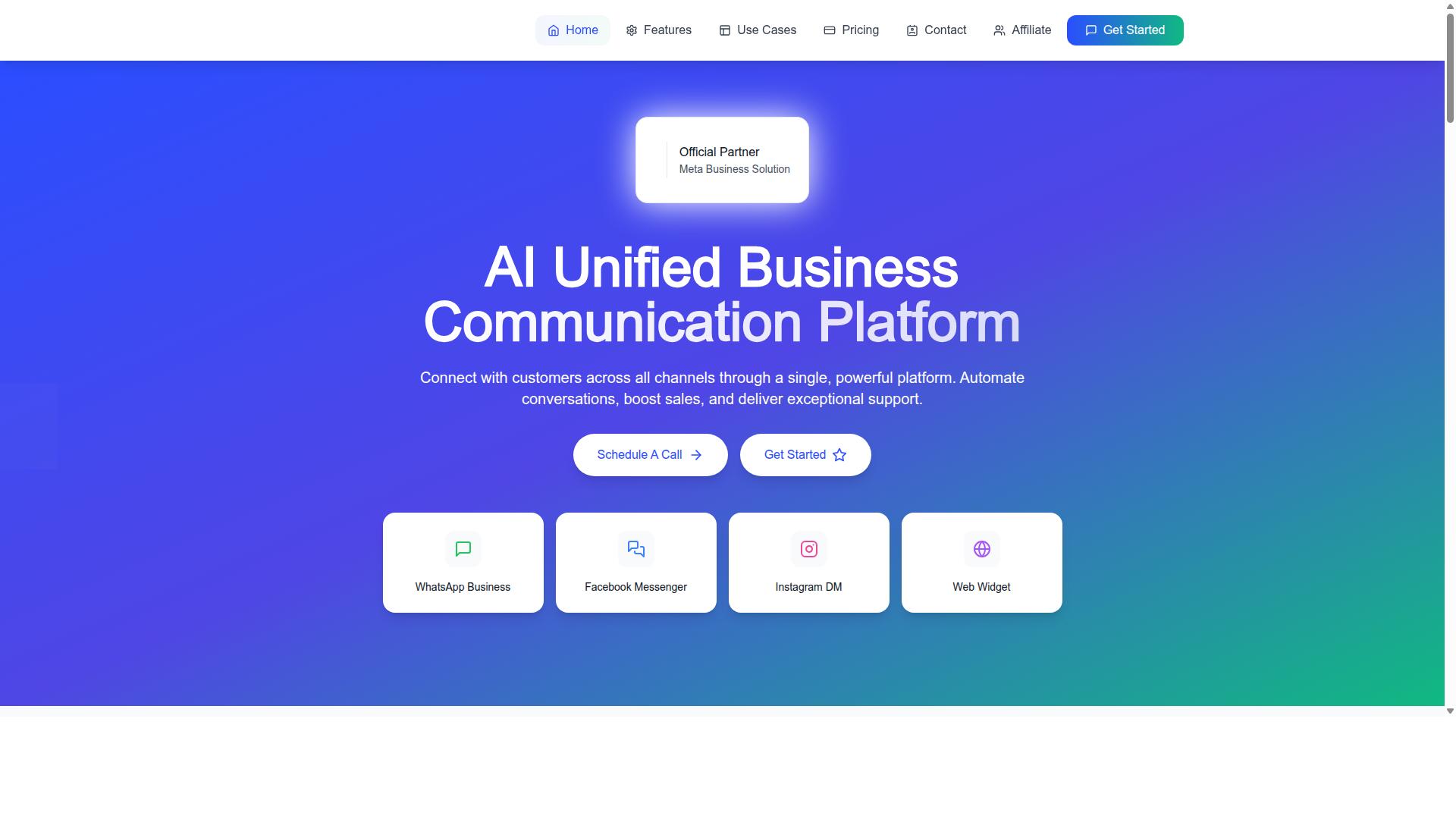
Com.bot is an AI Unified Business Communication Platform that connects customers across WhatsApp Business, Facebook Messenger, Instagram DM, and Web Widget through a single platform, enabling teams to manage all conversations in one place. It serves 50+ countries, with 23,000+ active customers and 25M+ messages processed per day.
The Unified Team Inbox gives agents one workspace for every conversation, which reduces the back-and-forth of juggling separate tools. Team Collaboration with role-based access helps managers control who sees and handles what.
Automation carries much of the repetitive load. The Visual Bot Builder uses a drag-and-drop interface, and the Automation Builder connects with 1000+ integrations. Smart Chatbots handle common questions, then hand off to a human when a conversation needs a personal touch.
Com.bot also supports Native Payments for WhatsApp transactions, plus Bulk Messaging, Order Updates, Notifications, and Payment Collection. These features matter for support teams that handle order questions and payment issues alongside general inquiries.
Com.bot holds official Meta Business Partner status and provides enterprise security, which supports the compliance needs larger support operations face. Pricing plans include Silver, Gold, and Platinum, with add-ons available for additional team members or channels.
For teams scaling across regions, the combination of automation and human handoff helps keep agent workload manageable. Routine questions get resolved automatically, while complex cases reach people who can help. That balance lets support organizations grow their channel coverage without growing headcount at the same pace.
Common Pitfalls and How Support Teams Avoid Them
Even with the right platform, support teams often stumble into common pitfalls that erode the benefits of multi-channel support. The technology is rarely the problem. Habits, processes, and staffing decisions typically cause the friction.
Below are seven pitfalls that appear again and again in multi-channel support operations. Each one includes a concrete avoidance strategy that teams can apply without rebuilding their entire stack.
- Treating channels as silos. When email, live chat, phone support, and social media support live in separate tools, agents lose the customer's history. A shopper who starts on WhatsApp and follows up by email may repeat everything. Avoid this by routing all conversations into a unified inbox tied to a shared CRM profile. One customer record, one timeline, every channel.
- Over-automating without a clear handoff path. Chatbots and virtual assistants handle routine questions well. They fail when a frustrated customer cannot reach a human. Define escalation triggers in advance, such as repeated intent detection failures, negative sentiment, or keywords like "cancel" or "refund." The bot should hand off with full context, not a blank slate.
- Ignoring channel-specific SLAs. A first response time that works for email support will feel slow on live chat or messaging apps. Customers on WhatsApp expect near-instant replies, while email tolerates longer windows. Set separate SLA targets per channel and track them independently. Treating every channel the same hides where the real delays are.
- Failing to train agents on multiple channels. An agent skilled at phone support may struggle with the pacing and tone of social media support. Invest in cross-channel training that covers tone, formatting, and tool navigation. Pair newer agents with channel veterans and rotate assignments so skills stay sharp.
- Not measuring per-channel metrics. A blended CSAT or resolution time score can mask a struggling channel. Track first response time, resolution time, customer satisfaction, and customer effort score for each channel separately. Review the numbers monthly and investigate any channel trending downward.
- Understaffing during peak times. Volume spikes hit channels unevenly. A product launch may flood live chat while email stays flat. Use historical ticket data to forecast demand by channel, then apply skill-based routing and queue management to shift agents where they are needed most.
- Neglecting to update the knowledge base. An outdated FAQ or self-service portal pushes customers toward live agents for questions they could have solved alone. Assign owners for knowledge base content and review articles on a set schedule. Every recurring ticket is a signal that something is missing or unclear.
Most of these pitfalls share a root cause: channel integration stops at the tool level and never reaches the process level. A help desk or ticketing system can connect the pipes, but routing rules, training, and metrics decide whether the setup actually works.
Agent workload and context switching deserve special attention here. Jumping between five different interfaces drains agent productivity and increases errors. Consolidating views, even partially, reduces the mental cost of every conversation.
Use the checklist below to audit your own multi-channel support setup. A short review now can prevent months of fragmented customer history and missed SLA targets.
| Audit Item | Question to Ask |
|---|---|
| Unified customer history | Can an agent see every past interaction across all channels in one view? |
| Escalation paths | Are there documented triggers that move a bot conversation to a human? |
| Channel-specific SLAs | Does each channel have its own first response and resolution targets? |
| Cross-channel training | Has every agent been trained on the tone and tools of each channel they cover? |
| Per-channel reporting | Are CSAT, NPS, and response times reviewed by channel, not just blended? |
| Peak staffing plan | Is there a forecast and routing plan for volume spikes by channel? |
| Knowledge base upkeep | Is someone accountable for reviewing and updating FAQ and help articles? |
Run through this list quarterly. Teams that catch these issues early keep the full value of omnichannel support: faster answers, less repetition for customers, and steadier agent workload across every channel.
Recommended Resources: